KD-Conductor
A downloadable mod for Windows
Have you ever wanted your real-world sensations to mirror those of a game character delving a kinky dungeon full of magic, robots, and bondage?
Do you own bluetooth controlled vibe or other toys?
Then this mod is for you! With KD Conductor, https://ada18980.itch.io/kinky-dungeon players can feel what their character is feeling. Sorta.
Current version: v0.8 (to fix slowdown bug). This mod is still in early development, so if you have any suggestions or issues please comment below.
The features:
- Transmits vibration and other sensory events from in-game to anything you can connect to xToys
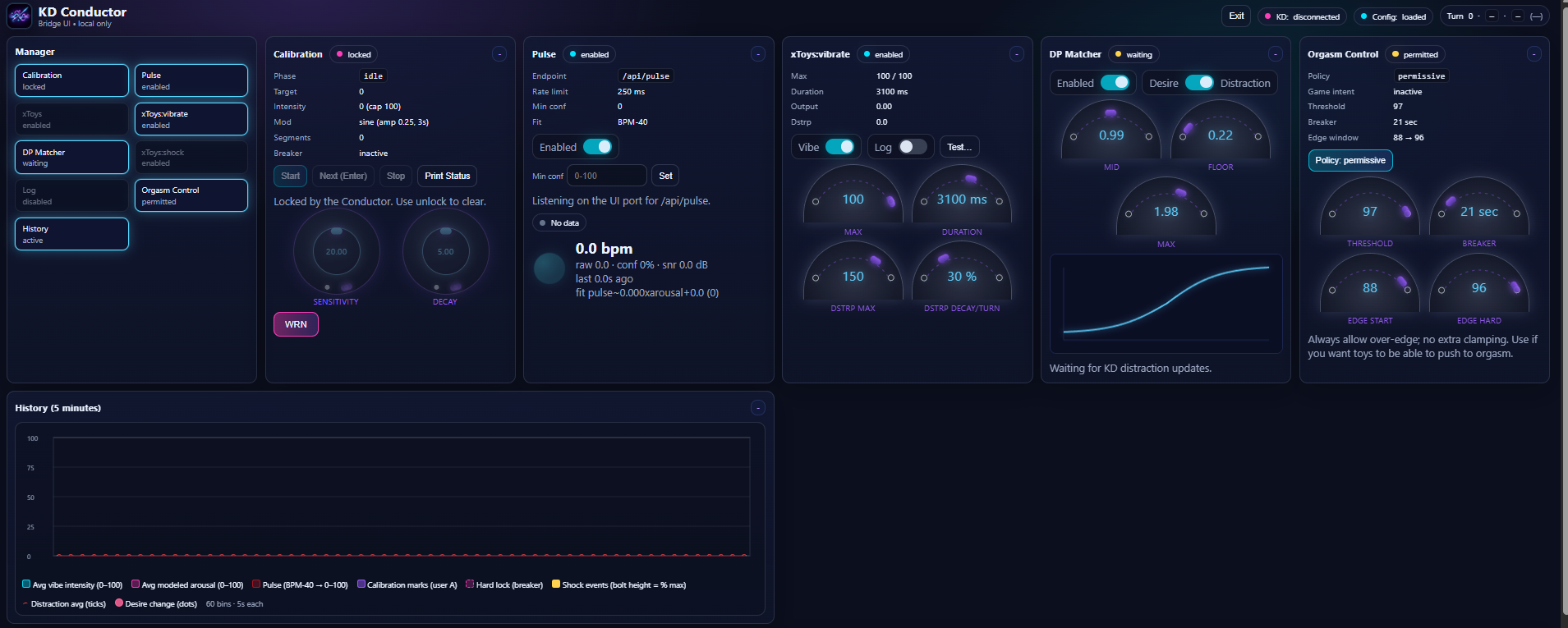
- Control and tune your experience using a stylish, easy-to-use, barely-working in-browser UI
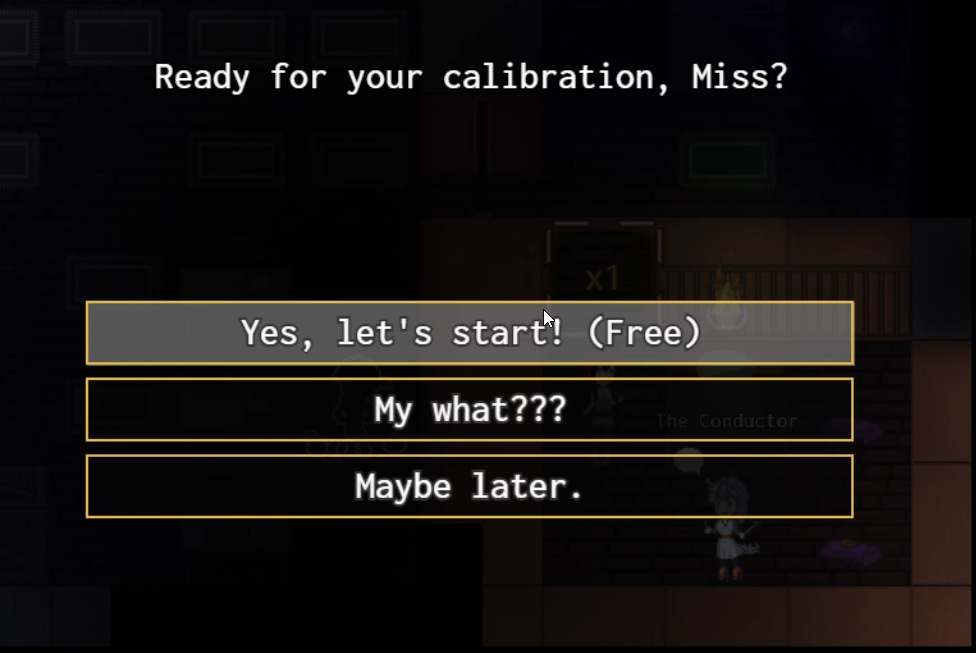
- Features an optional in-game calibration sequence with your friendly neighborhood researcher, the Conductor. Rumor is, she's got treats!
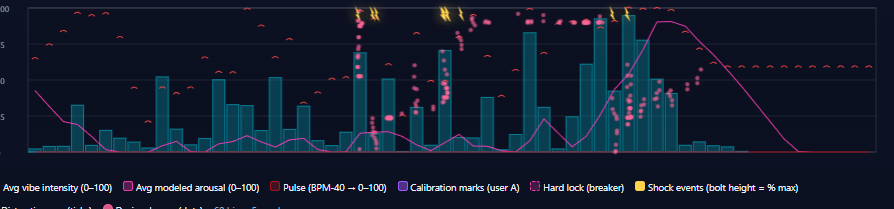
- Links game-character dynamic characteristics to your physiology, providing a customized, immersive sensory experience
Like the Conductor, we are looking for beta-testers to try this out and give feedback! The enclosed user_guide.md will help you get started. Feel free to ask here or on the Kinky Dungeon discord server for further assistance.
Use this xToys layout (or feel free to create your own)...
https://xtoys.app/layouts/super-conductor
...and remember to enter your webhook into the xToys configuration.
Have fun!
p.s. A few tips:
- Make sure you are using KinkyDungeon version >= 5.4.83 !
- Run the installer to install the "Superconductor Local" app. This is an Electron wrapper for a web UI.
- There are two ways to get calibrated. Make sure to calibrate with the toys you plan to use during gameplay!
- Talk to the Conductor in the Shoppe and let her conduct a quick, painless procedure to calibrate your physiological arousal model.
- You should see the 'WRN' spell on your hotbar -- cast this on yourself as instructed during calibration.
- In game, 'WRN' serves as a short time-out to allow you to collect your wits whenever needed.
- It does take a turn to cast, though, so be careful!
- If you prefer to do a calibration run from the UI, click 'Start' in the Calibration panel.
- Talk to the Conductor in the Shoppe and let her conduct a quick, painless procedure to calibrate your physiological arousal model.
- The physiological model is based on arousal going up with stimulation and down with time:
- Sensitivity controls how much your toys' intensities affects your physiological arousal. Higher = you get excited easier. If you aren't getting enough stimulation, lower this value. Too much, raise it.
- Decay controls how much arousal you lose over time. Higher = you calm down faster. If you are getting too little stimulation, raise this value. Too much, lower it.
- New in 1.1! Toy/Location Routing is now available in KD Conductor.
- The mod sends vibe location signals based on in‑game items and events, and the server routes those locations to specific output channels.
- You can assign each location tag to output1, output2, both, or none in the Toy Routing panel.
- Make sure to route output1 and output2 in the new xToys layout to your toys of choice.
- Use the in-game configuration menu to set many fun options, including:
- whether the mod sets the orgasm policy, or to let you set it in the super conductor UI
- how to route various damage types and events to shock, the vibe function on your shock device(s), or the 'vibacitor' (the vibey-whimey stuff)
- whether to update the game with your modeled physiological arousal as distraction, and how often (arousal sync)
Download
Install instructions
- Install latest KinkyDungeon offline version: https://ada18980.itch.io/kinky-dungeon, or the nightly version if you have access (recommended!)
- Put KD-Conductor.zip in KD/Mods folder. (Don’t unzip it or you’ll let the magic smoke out.)
- Run Superconductor Local Setup 1.1.0.exe to install the desktop app. (Windows only right now... sorry Mac/Linux folks)
- Launch Superconductor Local (it runs the server + UI for you).
- If the app warns about a fallback port, update KD Conductor → Mod Settings → Connection → Server port.
- Read user_guide.md for setup and tuning.
- Feel all dem good feelings.
Leave a comment
Log in with itch.io to leave a comment.